
Leaderboard
Dow Jones & Company, Inc.Finance
4.2151.00 Reviews
- Version
- 7.20
- Installs
- 10.00K
- Age Rating
- Everyone 10+
Screenshots
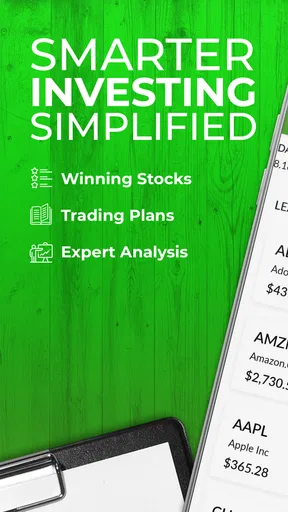
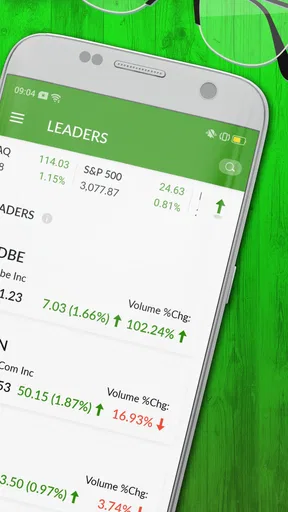
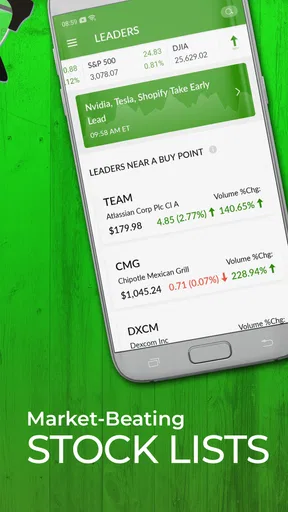
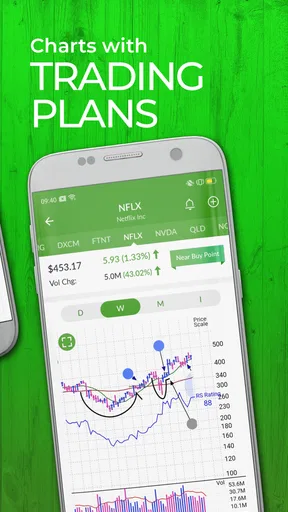
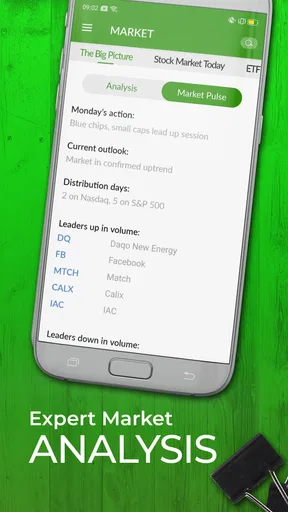
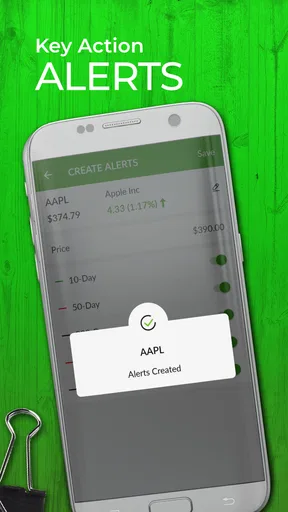
Our Review of Leaderboard
 Analysis by Appyee
I approach Leaderboard with a practical question: does a competition app make it easier to follow market ideas, or does it mostly add another screen to check? This is a finance app from Dow Jones & Company, Inc., with a focus on Investor’s Business Daily’s Leaderboard product. That context matters: I would judge it as a tool for people already interested in stocks and investing, not as a general-purpose social challenge app.
My first impression is that the name can suggest a broad contest platform, but the finance focus sets a narrower expectation. If you want to keep an eye on investing-related ideas and follow a structured product from a familiar financial publisher, it may be worth exploring. If you came looking for step counts, book-club competitions, team chat, or custom workplace goals, this is not the app I would choose.
Understanding the app before you sign in
I’d use this section to set expectations before sharing any information: this is a finance app from Dow Jones & Company, Inc., centered on Investor’s Business Daily’s Leaderboard product, rather than a general challenge platform. Before signing in, I’d decide what investing task I want it to support and check each requested permission and account choice as it appears. That makes it easier to judge whether the next step feels relevant and comfortable.
A finance tool, not an all-purpose challenge hub
The store summary describes Leaderboard by Investor’s Business Daily, and the short description is simply “Leaderboard.” I would treat that concise presentation as a cue to check whether its investing focus matches what I want before spending time setting it up. The app is free to download, but it also lists in-app purchases at $69.99 per item, so free installation should not be mistaken for every part of the experience being free.
That distinction is especially useful if you are comparing it with a brokerage app or a market-news feed. A brokerage is usually where you manage transactions and account activity; a news app is where you scan a broad stream of headlines. Leaderboard sits closer to a focused investing product. I would use it to support research and routine, not assume it replaces a broker, a diversified news source, or independent analysis.
What I would check before relying on an investing app
My trust test starts with visible choices rather than assumptions about a company or its reputation. Before entering financial or personal details, I would read each permission request on the device and ask whether it makes sense for the task I am trying to do. A permission prompt is not proof of how information is handled, and the absence of a prompt is not a full explanation of data practices. I would avoid granting access simply because an app asks.
I would also look carefully at account controls during sign-up and in the app’s settings: what account information is requested, whether there are clear ways to manage the account, and what choices appear around alerts or communications. These are practical checks, not claims that a particular control is present. If an option is unclear, I would pause rather than enter information I do not need to share.
Where it may fit into a daily market routine
A realistic use case is checking an investing product during a quiet moment before the workday, then returning later to review whether anything deserves more attention. I would keep the session purposeful: open the app with a question in mind, note what I want to investigate, and then verify important conclusions through sources that give me the detail I need. That routine helps prevent a ranking or a quick update from becoming a substitute for understanding a company or a risk.
For a newer investor, the useful question is not only “what is currently prominent?” but also “why might this matter to my own plan?” I would treat the app as one input, then compare ideas with my time horizon, risk tolerance, and other research. For an experienced investor, the value may be convenience and a focused view, while the limitation is that a single product cannot represent every investing style or answer every research question.
Choices, cost, and a cautious verdict
Leaderboard has a 4.2 average from 576 ratings, with 150 written reviews, and more than 10,000 installs. Those figures suggest that people have tried it, but they do not tell me whether its approach is right for my needs or whether a particular investing idea will work. I give more weight to whether the app explains its purpose clearly and whether I can make informed choices about my account and use.
The app is rated Everyone 10+, and its current version is 7.11.3, with Android 7.0 or later required. It was released on July 1, 2020. I would check compatibility on my own device before installing, especially if it is older, and I would review any purchase prompt carefully. A listed in-app purchase price of $69.99 per item is substantial enough that I would want to understand exactly what I am buying before confirming anything.
My cautious recommendation is for readers who specifically want to explore an Investor’s Business Daily finance product and are comfortable evaluating investment information critically. I would skip it if I only wanted free, broad market headlines, a place to execute trades, or a general group leaderboard. The sensible approach is to install it only if the focus fits, inspect the available account and notification choices, and keep your financial decisions grounded in research beyond any single app.
Getting Started with Leaderboard
Installing Leaderboard is a breeze. Available on both Android and iOS, it’s just a quick download and installation away. Once you open the app, you’re greeted with a sleek and intuitive interface. The setup process is straightforward, and you can easily sign up with your email or social media accounts. Within minutes, you’re ready to start creating or joining challenges.
Features That Shine
What’s great about Leaderboard is how it caters to various interests. You can create custom challenges tailored to your group's needs. Whether it's tracking steps, reading books, or even setting sales targets at work, the app has numerous categories that you can explore. You can also set the duration of each challenge, so whether you’re in for a quick sprint or a long-term goal, Leaderboard has got you covered.
Another feature that I find particularly engaging is the real-time updates. The app keeps you informed on your progress and that of your competitors, making it easy to see who's gaining ground and who might need a little extra push. It’s like having a coach in your pocket!
Social and Competitive Elements
The social aspect of Leaderboard is incredibly well-executed. You can invite friends to join challenges via the app or social media. The chat feature allows for friendly banter and motivation, which really amps up the excitement. Plus, the ability to share your achievements on social media adds an extra layer of pride and recognition.
For those of you who thrive on competition, the app’s ranking system will be a delight. It’s not just about seeing your name at the top; it’s about the satisfaction of knowing you’ve earned it through hard work and determination. Trust me, once you see your name climbing higher, you’ll be hooked!
User Experience and Accessibility
The developers have done a fantastic job ensuring that Leaderboard is accessible to a wide audience. The design is clean, with easy navigation, and everything you need is just a tap away. The app is responsive and works smoothly across different devices, which is crucial when you’re in the heat of a challenge.
Moreover, the app includes helpful tutorials and FAQs to guide new users, making the onboarding process seamless. It’s clear that user experience was a top priority in the development of Leaderboard.
Room for Improvement
While Leaderboard excels in many areas, there are a few aspects that could use some fine-tuning. For instance, I would love to see more customization options for the challenges. Adding personal milestones or sub-goals could enhance the user experience even further. Additionally, integrating more third-party apps could broaden the scope of challenges available.
Another potential improvement could be enhancing the notification system. While the alerts are helpful, they can sometimes be overwhelming. A more refined notification setting would allow users to customize what they want to be informed about.
Final Thoughts
Overall, Leaderboard is a fantastic app for anyone looking to add a little friendly competition to their daily routine. Its versatility, ease of use, and engaging features make it a must-try for anyone interested in personal development through challenges. Whether you’re a competitive spirit or just looking for some motivation, Leaderboard is sure to inspire you to reach new heights.
So why not give it a go? Download the app today, start a challenge, and see where you stand on the Leaderboard!
Verdict
Strengths of Leaderboard
- Intuitive user interface for easy navigation.
- Real-time updates enhance competitive play.
- Customizable leaderboards for personal goals.
- Seamless integration with other apps.
- Supports multiple game genres effectively.
Limitations of Leaderboard
- Requires constant internet connection.
- Occasional lag during peak times.
- Limited offline functionality.
- Ads can be intrusive at times.
- Some features locked behind paywall.
Other Releases by Dow Jones & Company, Inc.
View All
The Wall Street Journal. News
News & Magazines4.2

MarketWatch
Finance4.2

Investor's Business Daily
Finance4.4

Barron's: Investing Insights
News & Magazines3.1
Similar Picks in This Category
View All
Google Wallet
Google LLC4.3

Airtel: Recharge, Bank & Loans
Airtel4.0

PayPal - Pay, Send, Save
PayPal Mobile4.2

DANA Indonesia Digital Wallet
PT Espay Debit Indonesia Koe4.5

Binance: Buy Bitcoin & Crypto
Binance Inc.4.8

Cash App
Block, Inc.4.7
Frequently Asked Questions
What is the main purpose of the Leaderboard app?
The Leaderboard app is designed to track and compare scores or achievements across various activities, games, or competitions. It allows users to create and join groups, submit their scores, and see how they rank against others. This can be particularly useful for competitive events or team activities.
Is the Leaderboard app free to use?
Yes, the Leaderboard app is free to download and use. However, it may offer in-app purchases or subscriptions for additional features, such as advanced analytics or custom leaderboard settings, to enhance the user experience. Always check for any potential costs before making purchases.
How secure is my data on the Leaderboard app?
The Leaderboard app prioritizes user data security by implementing encryption and secure data storage practices. It is essential to review the app's privacy policy and terms of service to understand how your data is used and shared. Always ensure your account is protected with a strong password.
Can I use the Leaderboard app offline?
While the Leaderboard app primarily requires an internet connection to update scores in real-time and synchronize with other users, some features may be available offline. You can track personal scores and review past performances, but syncing with the group leaderboard will require internet access.
What platforms is the Leaderboard app available on?
The Leaderboard app is available on both iOS and Android platforms, making it accessible to a wide range of users. It can be downloaded from the Apple App Store and Google Play Store. Ensure your device meets the minimum system requirements for optimal performance.
